Intelligent API Gateway Setup: A 2026 Developer Guide

An intelligent API gateway setup is the process of configuring a highly adaptable gateway to route, authenticate, rate-limit, and monitor AI service requests across multiple providers. The industry term for this architecture is an AI API gateway, and it sits between your application and every upstream model endpoint. Done right, it gives you centralized control over cost, latency, availability, and governance without rewriting your application code. Platforms like Infrax implement this pattern as a unified routing layer, letting teams swap or combine AI providers through one consistent, OpenAI-compatible API endpoint.
What prerequisites and tools do you need for an intelligent API gateway setup?
The foundation of any working API gateway configuration is a Kubernetes cluster with a network load balancer attached. Without a stable cluster, declarative resources like Gateway, HTTPRoute, and Backend have nowhere to run. Most teams use a managed cluster on AWS EKS, Google GKE, or Azure AKS to reduce operational overhead before they even write a routing rule.
You also need an API gateway framework installed in the cluster. Two common choices sit at opposite ends of the complexity spectrum. Plugin-based enterprise gateways like Kong suit teams that need deep extensibility for AI governance. Lightweight frameworks like Traefik suit teams that want native Docker and Kubernetes integration with minimal configuration overhead. Your operational needs determine which fits better.
Required tools and resources at a glance:
- Kubernetes cluster with a network load balancer (NLB) provisioned
- API gateway framework installed via Helm or manifest (Kong, Traefik, or equivalent)
- Kubernetes Gateway API CRDs applied to the cluster
- Kubernetes Secrets to store LLM provider API keys securely
- kubectl and cluster admin credentials for applying manifests
- Provider accounts and API keys for each AI model you plan to route to
Authentication credentials deserve special attention. Never store API keys as plain text in ConfigMaps. Kubernetes Secrets are the standard mechanism for managing LLM provider keys, and they integrate directly with gateway resource definitions. Teams that skip this step create security debt that compounds as they add more providers.
| Resource | Purpose | Notes |
|---|---|---|
| Kubernetes cluster | Hosts gateway and routing resources | Managed cluster recommended |
| Gateway framework | Processes and routes API traffic | Choose based on extensibility needs |
| Kubernetes Secrets | Stores provider API keys | Never use plain-text ConfigMaps for keys |
| Kubernetes Gateway API | Declarative traffic management | Apply CRDs before creating resources |
| Observability stack | Monitors latency and errors | Prometheus and Grafana are common choices |
How do you configure routing, authentication, and rate limiting?
Basic gateway configurations follow a four-stage process that most teams complete in 30–60 minutes: define the AI application, configure inbound settings, select the gateway instance, and set outbound provider routes. That sequence maps directly to the Kubernetes Gateway API resource hierarchy.
Step-by-step configuration process:
- Apply the Gateway resource. Define your gateway class, listeners, and TLS settings in a Gateway manifest. This is the entry point for all inbound traffic.
- Create HTTPRoute resources. Map URL paths or request headers to specific backend services. For multi-provider routing, use headers like
X-Model-Sizeto direct requests dynamically. - Define Backend resources. Each backend points to a specific AI provider endpoint. You can define multiple backends and assign weights for load distribution.
- Mount Kubernetes Secrets. Reference your provider API keys in the gateway or backend resource spec. The gateway injects the correct key per route at runtime.
- Apply rate limiting policies. Set a rate limit of 60 requests per minute per client as a starting baseline. Adjust per route based on provider quotas and cost targets.
- Test with a live request. Send a request with the appropriate header and verify the gateway routes it to the correct backend. Check logs immediately for auth errors or routing mismatches.
Multi-model routing via headers is the most practical pattern for multi-provider setups. A single gateway endpoint receives all requests, reads the header value, and forwards to the matching backend. This keeps your application code provider-agnostic while the gateway handles all selection logic.
Pro Tip: Always define a default fallback route in your HTTPRoute spec. If no header matches a specific backend, the fallback prevents a 404 from reaching your application and keeps the user experience intact.

Authentication failures are the most common early mistake. The gateway must have read access to the Secret namespace, and the Secret key name in the manifest must match exactly. A single character mismatch silently breaks auth without a clear error message in most frameworks.
What are best practices for maintaining and optimizing intelligent API gateways?
Ongoing maintenance separates a working gateway from a reliable one. The difference shows up at 2 AM when a provider goes down and your application either fails gracefully or stops entirely.
Core maintenance practices:
- Active health checks: Monitor AI model latency and availability continuously. Remove unhealthy backend instances immediately rather than waiting for timeouts to cascade through your application.
- Declarative updates: Use Kubernetes ConfigMaps and PersistentVolumeClaims to store routing logic and secrets. This pattern enables zero-downtime updates to policies without redeploying the gateway pod.
- Budget caps and AI governance: Policy-based controls at the gateway edge enforce budget limits, PII redaction, and model selection rules. This prevents runaway costs and data leaks before they reach any provider.
- Fallback routes: Define at least one secondary provider per critical route. If the primary backend fails a health check, the gateway reroutes automatically.
- Observability integrations: Connect your gateway to Prometheus for metrics, Grafana for dashboards, and the ELK stack for log aggregation. You cannot fix what you cannot see.
| Maintenance Area | Tool or Pattern | Outcome |
|---|---|---|
| Health monitoring | Active health checks | Prevents cascading backend failures |
| Policy updates | ConfigMaps and PVCs | Zero-downtime routing changes |
| Cost control | Budget caps at gateway edge | Stops overspending before it reaches providers |
| Observability | Prometheus and Grafana | Real-time latency and error visibility |
| Failover | Fallback route definitions | Maintains availability during provider outages |
Pro Tip: Set model selection policies that factor in both latency and cost per token, not just availability. A provider that responds in 200ms but costs three times more than a 400ms alternative may not be the right default for batch workloads.
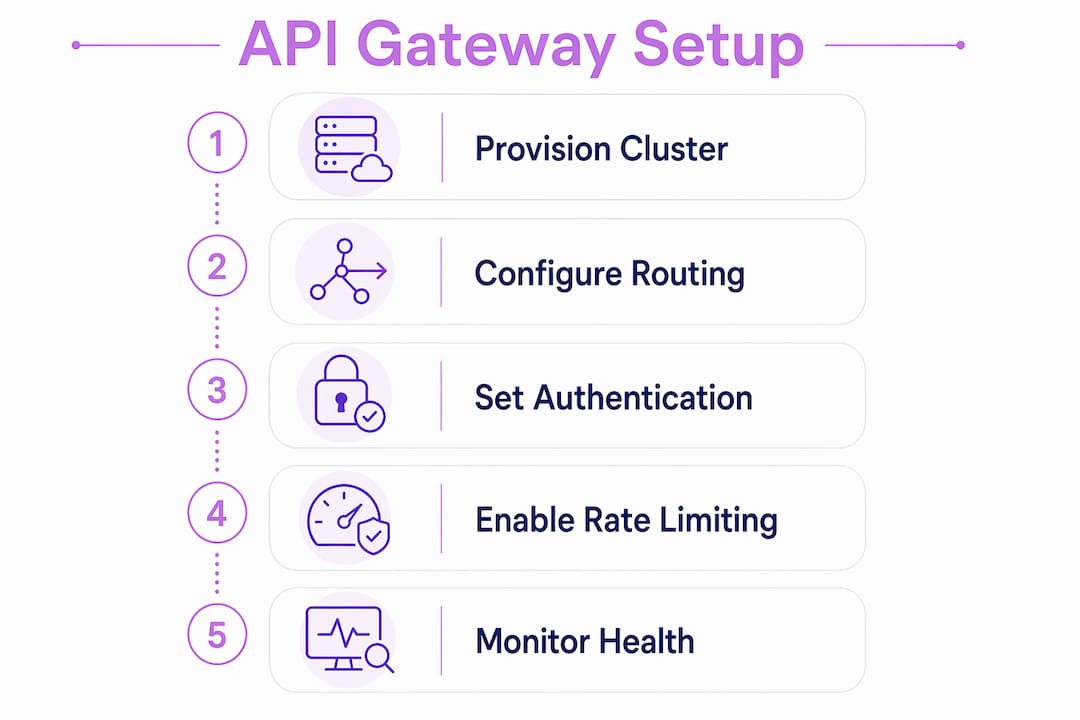
The AI Control Stack pattern treats AI providers as managed, controlled resources rather than open endpoints. This framing shifts gateway configuration from a one-time task to an ongoing governance practice. Teams that adopt it early avoid the compliance and cost problems that hit teams who treat the gateway as a simple proxy.
What are common troubleshooting steps and mistakes in API gateway setup?
Most gateway failures trace back to three root causes: misconfigured routing rules, broken authentication, and missing health checks. Each one has a predictable signature in your logs.
Routing misconfigurations usually appear as 404 or 502 errors on specific paths. Check your HTTPRoute spec first. Verify that path prefixes match exactly, including trailing slashes, and that header names use the correct casing. HTTP headers are case-insensitive by spec, but some gateway implementations are not.
Authentication failures produce 401 or 403 responses. The most common cause is a Secret reference that points to the wrong namespace or uses a mismatched key name. Run kubectl describe secret <name> to confirm the key exists and the data field name matches your manifest exactly.
Ignoring rate limits creates two distinct problems. Too low a limit throttles legitimate traffic. Too high a limit exposes you to unexpected provider bills when traffic spikes. Start at 60 requests per minute per client and adjust based on actual usage data from your observability stack.
Overlooking active health checks is the single most expensive mistake in gateway operations. A backend that stops responding without a health check in place causes every request to that route to hang until timeout, creating a failure cascade that takes down far more than the original unhealthy instance.
Debugging works best when you combine inference logs with distributed tracing. Enable request ID propagation at the gateway so you can correlate a specific failed request across your gateway logs, your application logs, and the provider response. Without that correlation, root cause analysis becomes guesswork.
Key Takeaways
A well-configured AI API gateway routes requests across multiple providers through declarative Kubernetes resources, enforces authentication via Secrets, applies rate limits, and uses active health checks to prevent cascading failures.
| Point | Details |
|---|---|
| Start with prerequisites | Provision a Kubernetes cluster and install your gateway framework before writing any routing rules. |
| Use declarative configuration | Store routing logic in ConfigMaps and PVCs to enable zero-downtime policy updates. |
| Secure keys with Secrets | Always use Kubernetes Secrets for provider API keys. Never store them as plain text. |
| Set rate limits early | A baseline of 60 requests per minute per client controls costs and prevents provider throttling. |
| Monitor proactively | Active health checks and Prometheus integrations catch failures before they reach your users. |
Why I think most teams set up API gateways backwards
Teams almost always configure the happy path first and add governance later. I get it. You want to prove the integration works before you add complexity. But that sequence creates a window where your gateway is live, unmonitored, and spending real money with no budget cap in place.
The AI Control Stack approach flips that order. You define budget limits, PII redaction rules, and model selection policies before you open the gateway to production traffic. It feels slower upfront. It saves significant time and money when a misconfigured client starts hammering an expensive model at 3 AM.
The shift to declarative architectures with the Kubernetes Gateway API is the most meaningful structural change in API gateway configuration in recent years. It moves routing logic out of application code and into version-controlled manifests. That means your routing rules go through code review, get tracked in Git, and roll back cleanly when something breaks.
Observability is where I see the biggest gap between teams that run stable gateways and teams that fight fires constantly. Connecting Prometheus and Grafana takes a few hours. Not connecting them costs days of debugging when a provider degrades silently. The math is obvious, yet many teams skip it until after their first major incident.
My honest recommendation: treat your gateway configuration as a living system, not a deployment artifact. Review routing policies monthly. Audit budget caps when provider pricing changes. Test your fallback routes deliberately, not just when they activate in production.
— Kendell
Infrax makes multi-provider AI routing production-ready
Managing routing rules, health checks, rate limits, and provider credentials across multiple AI backends is a significant operational load. Infrax handles that entire layer for you.
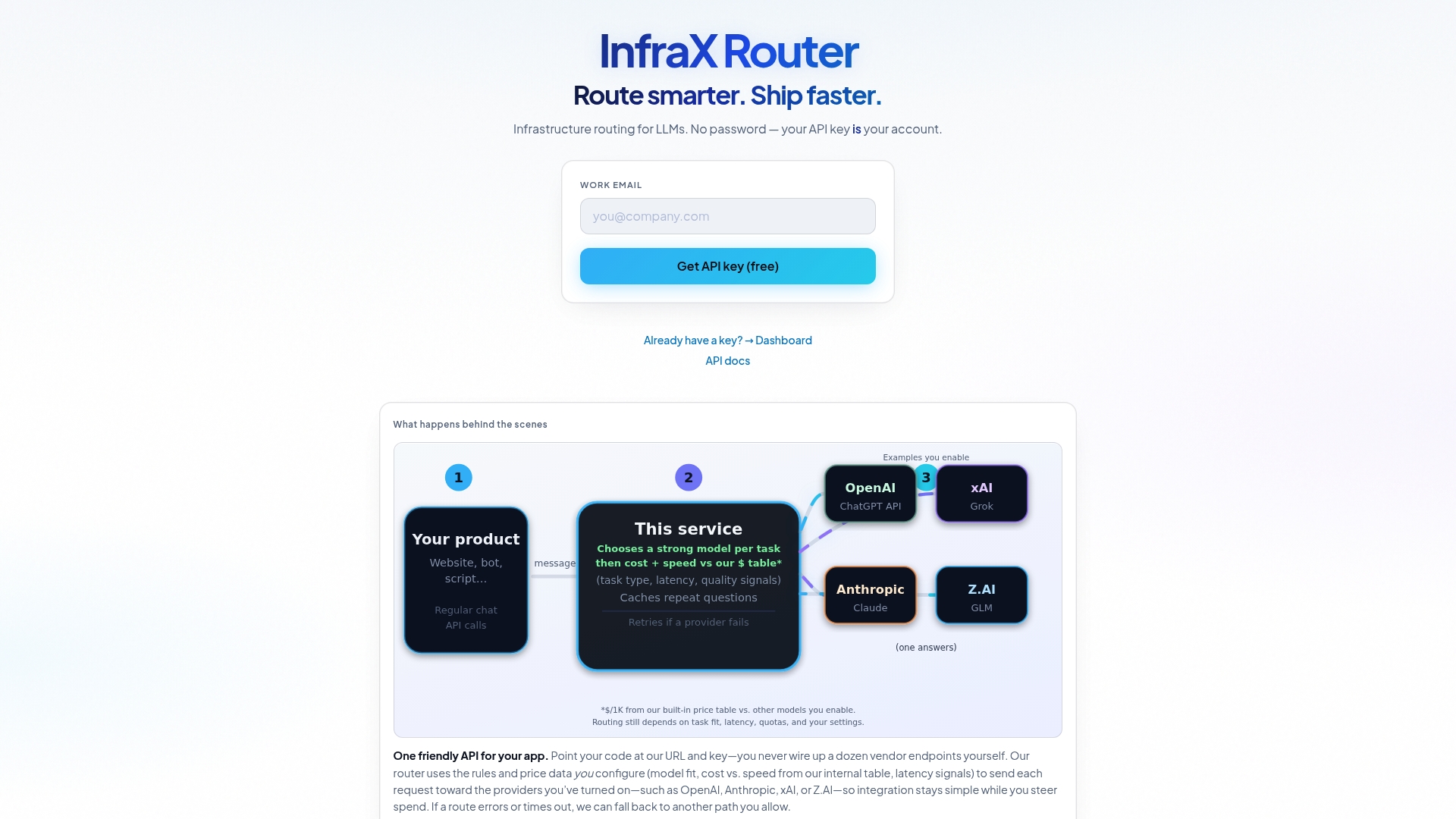
Infrax is an OpenAI-compatible AI routing platform that analyzes each request and sends it to the right model based on your cost, latency, and availability targets. You get centralized API key management, automatic failover, response caching, and a real-time usage dashboard out of the box. There is no need to wire together Prometheus, ConfigMaps, and health check scripts manually. Get your API key for free and connect your first provider in minutes.
FAQ
What is an intelligent API gateway?
An intelligent API gateway is a routing layer that sits between your application and multiple AI provider endpoints, directing each request to the most appropriate model based on configurable rules like cost, latency, and availability.
How long does an intelligent API gateway setup take?
Basic configurations complete in 30–60 minutes, covering application definition, inbound settings, gateway instance selection, and outbound provider routes. More complex multi-provider setups with full observability take longer.
What rate limit should I set for AI gateway requests?
Start with 60 requests per minute per client as a baseline. Adjust upward based on actual usage data and provider quotas, and set budget caps at the gateway level to prevent cost overruns.
How do I store API keys securely in a Kubernetes gateway setup?
Use Kubernetes Secrets to store all LLM provider API keys. Reference the Secret in your gateway or backend resource manifest and never store credentials as plain text in ConfigMaps.
What causes cascading failures in API gateway deployments?
Missing or misconfigured active health checks are the primary cause. When an unhealthy backend has no health check, every request to that route hangs until timeout, which overloads the gateway and spreads the failure across dependent services.